

Prerequisites
- A self-hosted Airbyte Server instance reachable from the internet.
- Access to the Airbyte Server API container.
- Network access from Paradime to your Airbyte Server instance.
Step 1: Configure the host and port
The Airbyte URL must include the correct port for your Airbyte Server version:- v0.59.1 and later: the API is exposed on port
8000or8001, e.g.https://your-server:8000. - Prior to v0.59.1: the API is on port
8006, e.g.https://your-server:8006.
Paradime connects to your running Airbyte API container. Ensure the API is exposed on the appropriate port; Airbyte recommends a reverse proxy or load balancer to route API traffic.
Step 2: Allowlist the Paradime IP
If you use a network policy, allowlist the Paradime IPs so they can reach the Airbyte Server API. See the IP allowlist documentation.Step 3: Get client credentials
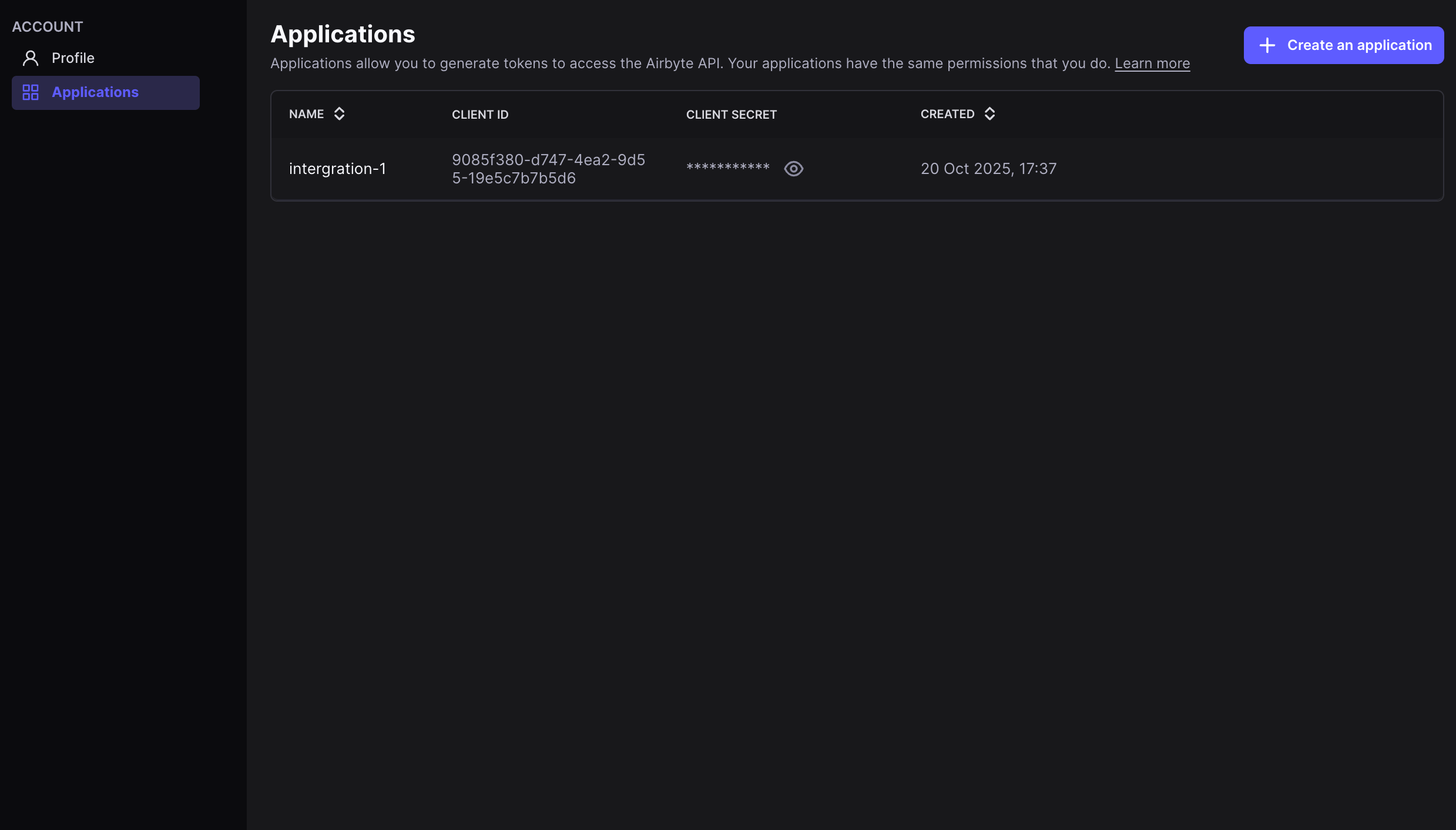
Airbyte Server v1.0 and later supports Client ID and Secret authentication (AIRBYTE_AUTH_TYPE = client_credentials). Find your client credentials in the Applications view of your Airbyte Server settings.
If you run a local instance, you can also retrieve credentials with abctl local credentials.
Step 4: Connect in Paradime
A Paradime Admin sets the credentials as environment variables before connecting.- In Paradime, go to Workspace Settings → Environment Variables.
- Add the required variables (below).
- Click Save.