

We advise creating a service account user in your GitHub account like
paradime.github.maintainer@yourcompany.com with admin access to the repository, and letting this user own the deploy key. GitHub shows whoever owns the key as the person who pushed every branch from Paradime (see the FAQ below).Add the deploy key
- In Paradime, import your repository using its SSH URL to generate a deploy key. See Importing a repository.
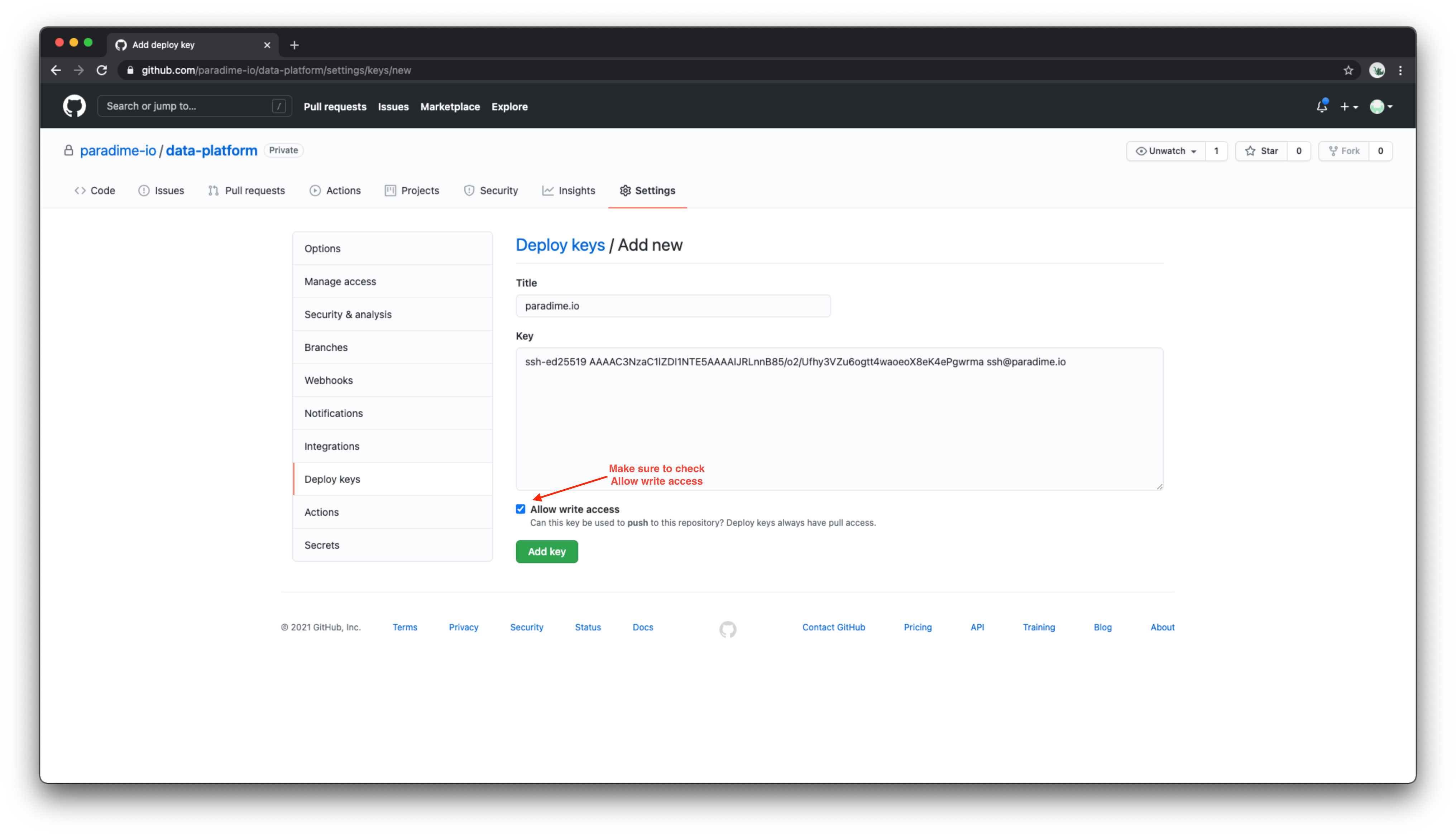
- In GitHub, navigate to the Deploy keys tab of your repository’s settings page.
- Give the key a name and paste in the deploy key generated by Paradime.
- Check the Allow write access checkbox, then save the key.
FAQ
Why does GitHub show one person pushing every branch from Paradime?
Paradime pushes to your repository with the workspace’s deploy key. That covers the pushes you make from the Code IDE and the pushes DinoAI makes, in the Code IDE or as an agent. GitHub credits every push made with a deploy key to the person who added the key to the repository. If a teammate added the key from their own GitHub account, GitHub shows them as the person who pushed every branch from Paradime. Commits are not affected. Each commit keeps the name and email of the person who made it in Paradime, or DinoAI for agent sessions. GitHub also treats that person as the pusher in branch protection. If your branch protection requires approval of the most recent reviewable push, their approval doesn’t count on those pull requests. To show a service account instead, have the service account add the same deploy key again:- In Paradime, go to Settings → Git Repository and copy the deploy key.
- In GitHub, open the Deploy keys tab of your repository’s settings page and delete the Paradime key.
- Sign in to GitHub as the service account, add the deploy key again, and check the Allow write access checkbox.