

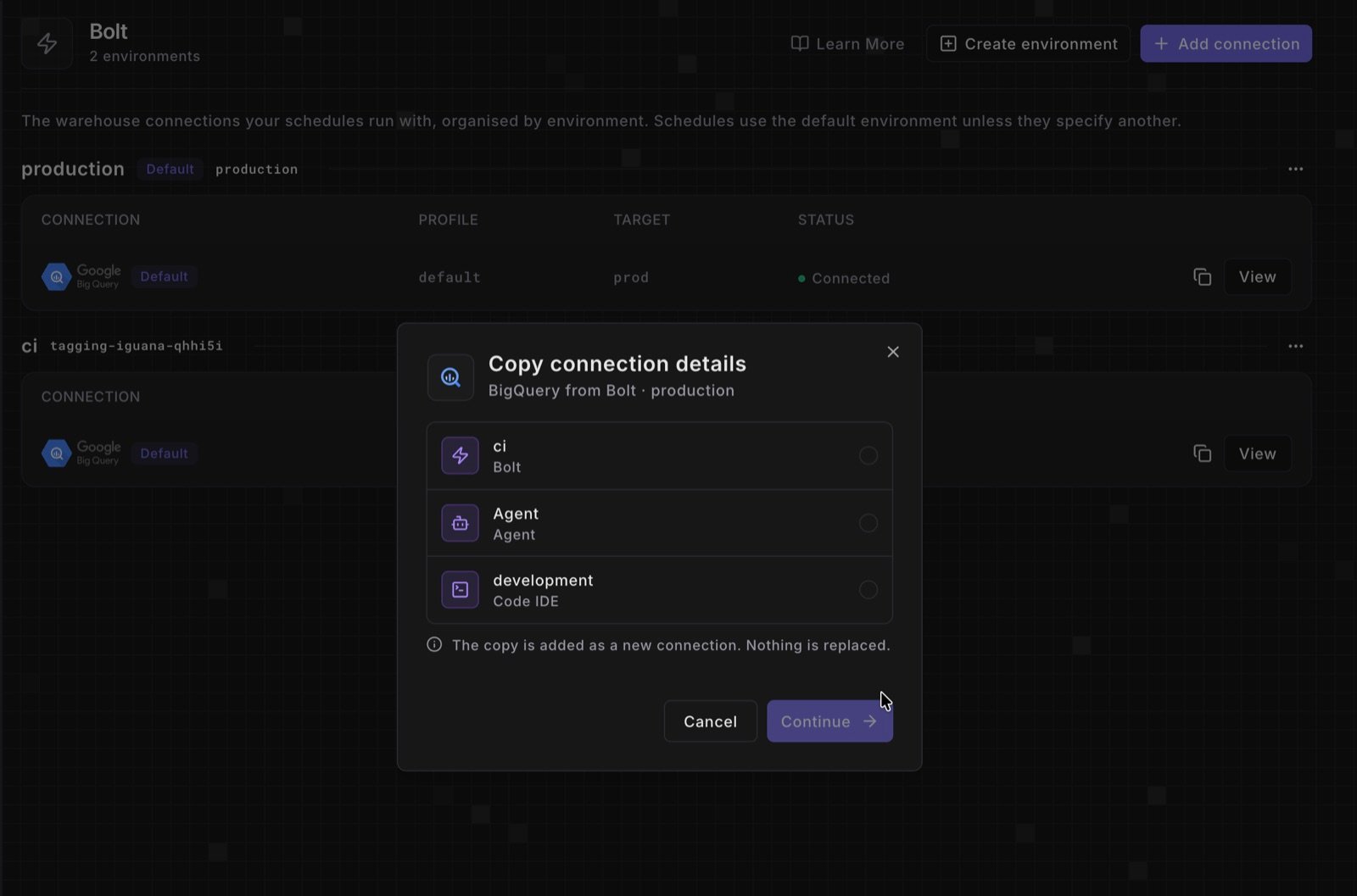
- Start a copy. In Settings > Environments, click the copy icon next to View on a connection. On a connection’s page, it’s Copy to another environment in the More (…) menu.
- Pick the target. Choose any other Bolt or Agent environment, or the Code IDE. The copy is added next to any existing connection and never replaces it.
- Review and save. The target’s new-connection form opens with the source’s settings and secrets filled in. Check the schema, database, and target, then test the connection to save it.