

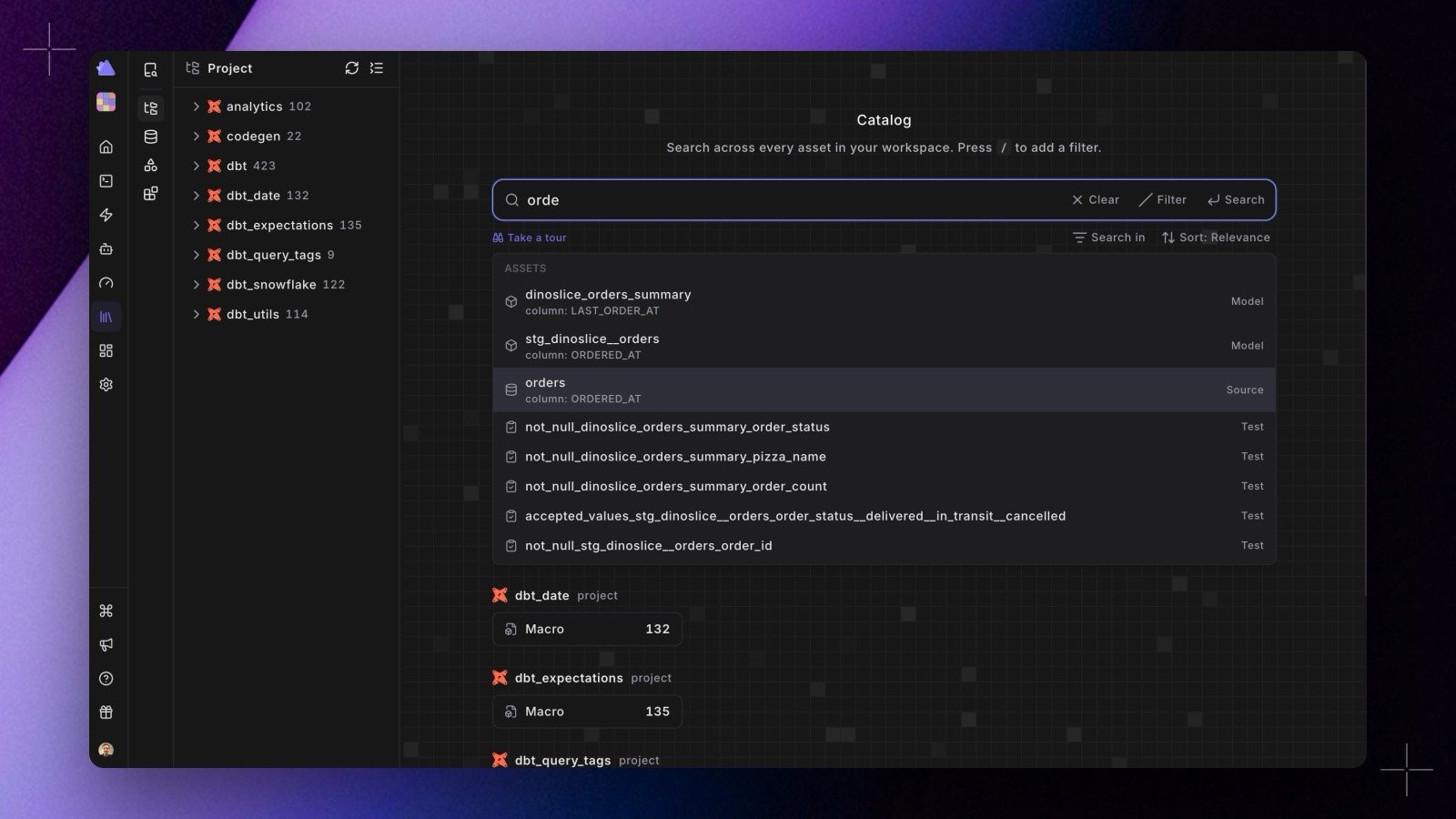
/catalog address. It looks familiar, but everything underneath is new:
- A much faster engine. Catalog builds now stream your dbt™ artifacts instead of loading them whole, skip the work entirely when nothing changed, and sync only the differences to a per-workspace search index. Search and browsing are much faster, refreshes complete sooner, and a build-state badge next to the search box shows each source’s status, progress, last build time, and any errors, so a refresh is never a black box.
- Every asset in the tree. The left-panel tree now covers every kind of asset: dashboards, reports, connectors, and syncs from your connected tools sit next to models, sources, and tests in the Assets and Integrations views, and custom integrations appear under their own name and icon.
- Suggestions as you type. The search bar suggests matching assets while you type; use the arrow keys and Enter to jump straight to one. Searching by a dbt™
unique_idworks too, and every filter, sort, and page lives in the URL, so a filtered listing can be shared or bookmarked. - Richer asset pages. Each asset has Overview, Columns, Code, Lineage, and (for dbt™) Quality tabs, with database, schema, and project promoted to the top, typed dbt™ facts such as materialization and access, test and docs coverage, warehouse stats, and the matched columns highlighted when your search hit a column.
- Lineage across tools and workspaces. Asset lineage now reaches into your BI and ingestion tools and crosses workspace boundaries for dbt™ Mesh projects. Column-level lineage from the Columns tab gets its own entry.
- Readable URLs. Asset links now name the asset, for example
/catalog/asset/dbt/node/model.jaffle_shop.orders, so a URL tells you what it points at. Old-style links open the Catalog home.