

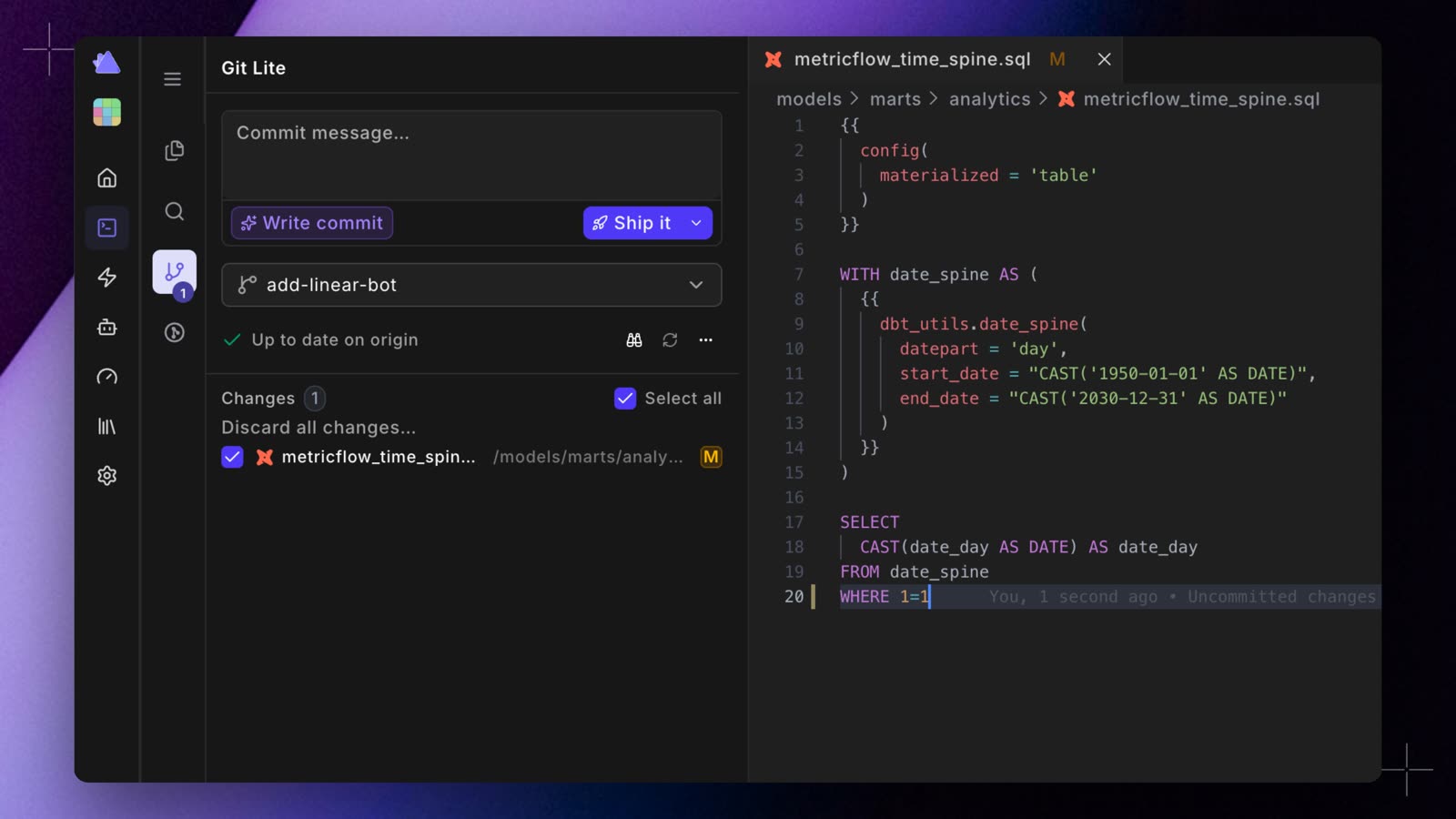
- Ship it. Commits your selected files, pushes, and opens the pull request in one click. If you haven’t written a commit message, DinoAI drafts it first. The arrow next to Ship it commits and pushes without opening the pull request.
- Write commit. DinoAI drafts the commit message from your changes, for you to edit before you ship.
- See every step. While Git Lite commits and pushes, a checklist shows each step: stage your files, commit, sync with the remote, and push.
- One branch picker. Search for a branch, or type a new name to create one from your main branch.
- Stay in sync. The panel shows whether you’re up to date with origin, and Update branch pulls in what you’re behind.
- Everything else in one menu. The ⋯ menu has Revert last commit, Prune merged branches, and help.
- Take a tour. The binoculars icon plays a short walkthrough of branching, committing, pushing, and opening a pull request.