Start chats faster and search every agent session
A New chat entry starts an agent session in one step, and a full session list adds search, filters by status, type, and agent, and sorting.
August 19, 2026

Two changes make agent sessions faster to start and easier to find again.
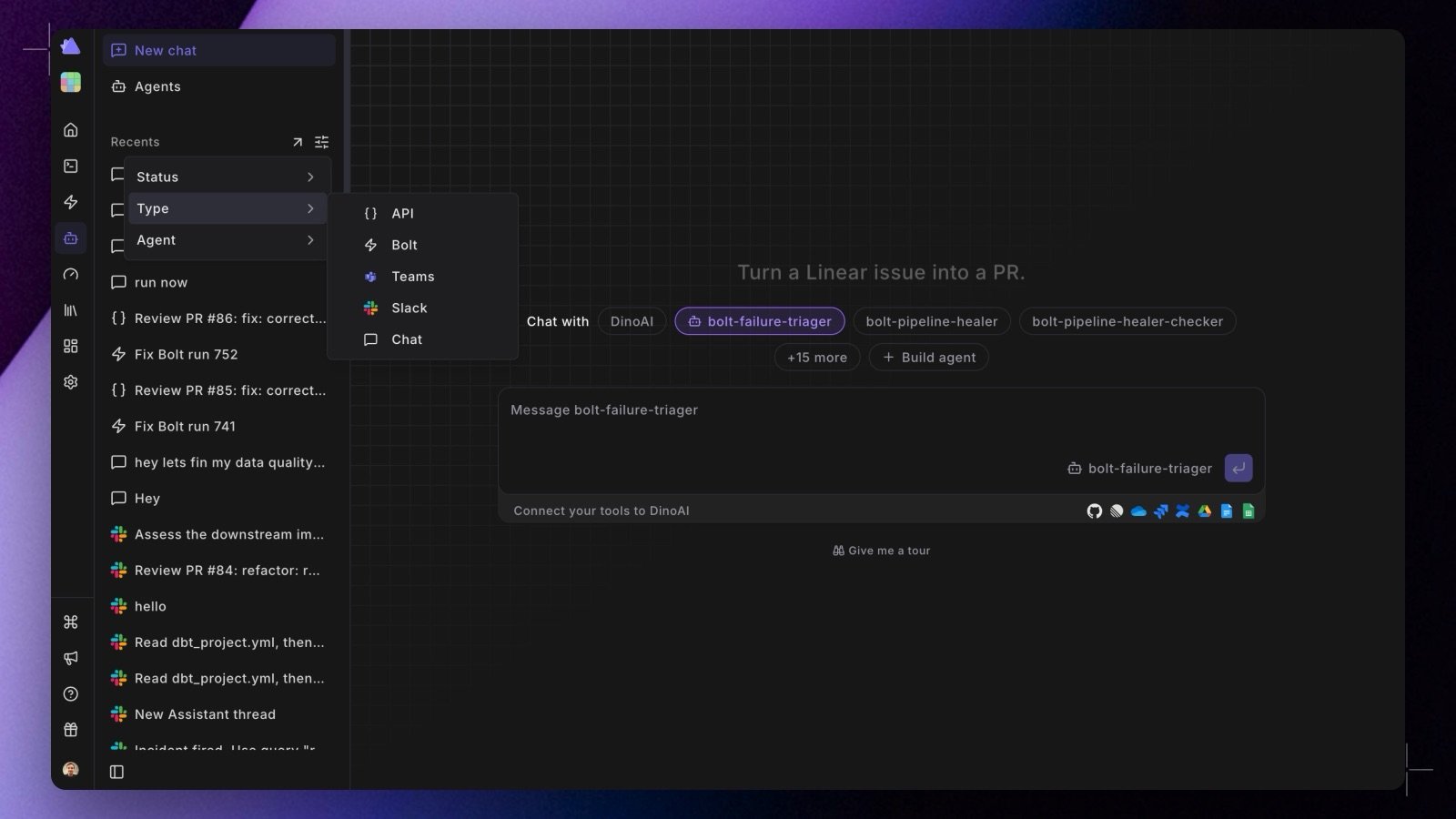
New chat at the top of the Agent panel opens a page that is just the composer: pick an agent from the dropdown (or leave it on Default agent), type your prompt, and send. No more navigating to the agent list first. See Starting a new chat.
The left panelβs session list is now Recents, with a filter for status, type (chat, Bolt, Slack, API), and agent. View all opens the full session list as a page, with a search box that matches titles and session ids, faceted filters, and a sortable history.
Shipped in Paradime v6.7.0.

Related topics
Agent SessionsEvery agent session in one panelCreating Agents in the AppStarting a Slack Agent sessionJira backlog agent