

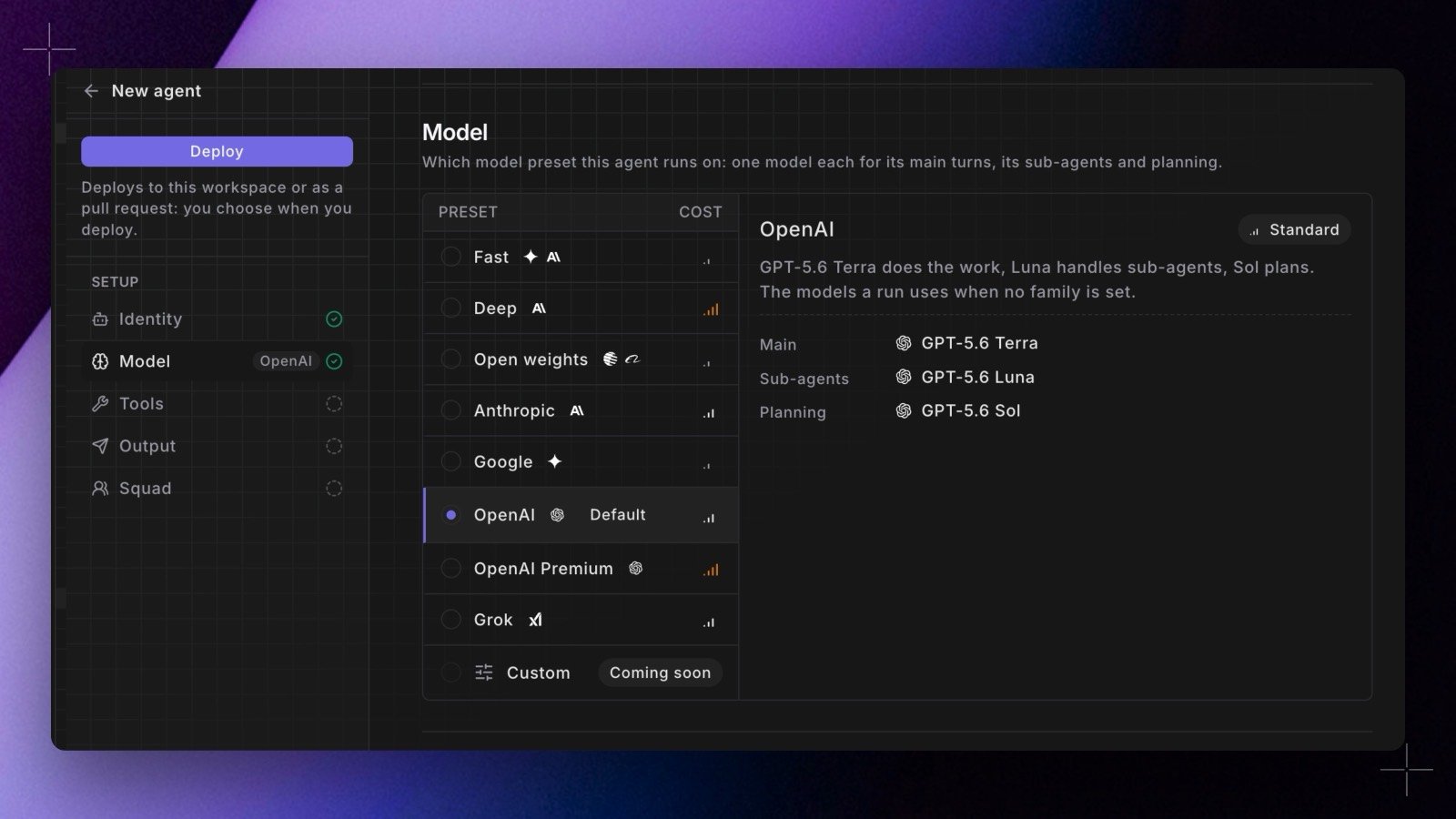
- In the builder. The Model section of the agent builder lists the presets configured for your workspace, each showing its three role models and its relative cost. Pick one and it is saved with the agent.
- In YAML. Agents defined in your repo take a
model_family: <slug>field, and the builder round-trips it, so the form and the YAML view stay in agreement. The oldermodel:field is still accepted and still ignored. - Per run. The trigger mutation takes an optional
modelFamilyargument that overrides the agent’s own choice for that run. - Visible after the fact. A session’s header carries a chip naming the family the run actually used, with the three role models in its tooltip. The family is resolved once when the session starts, so editing an agent mid-run cannot move that run onto different models.