

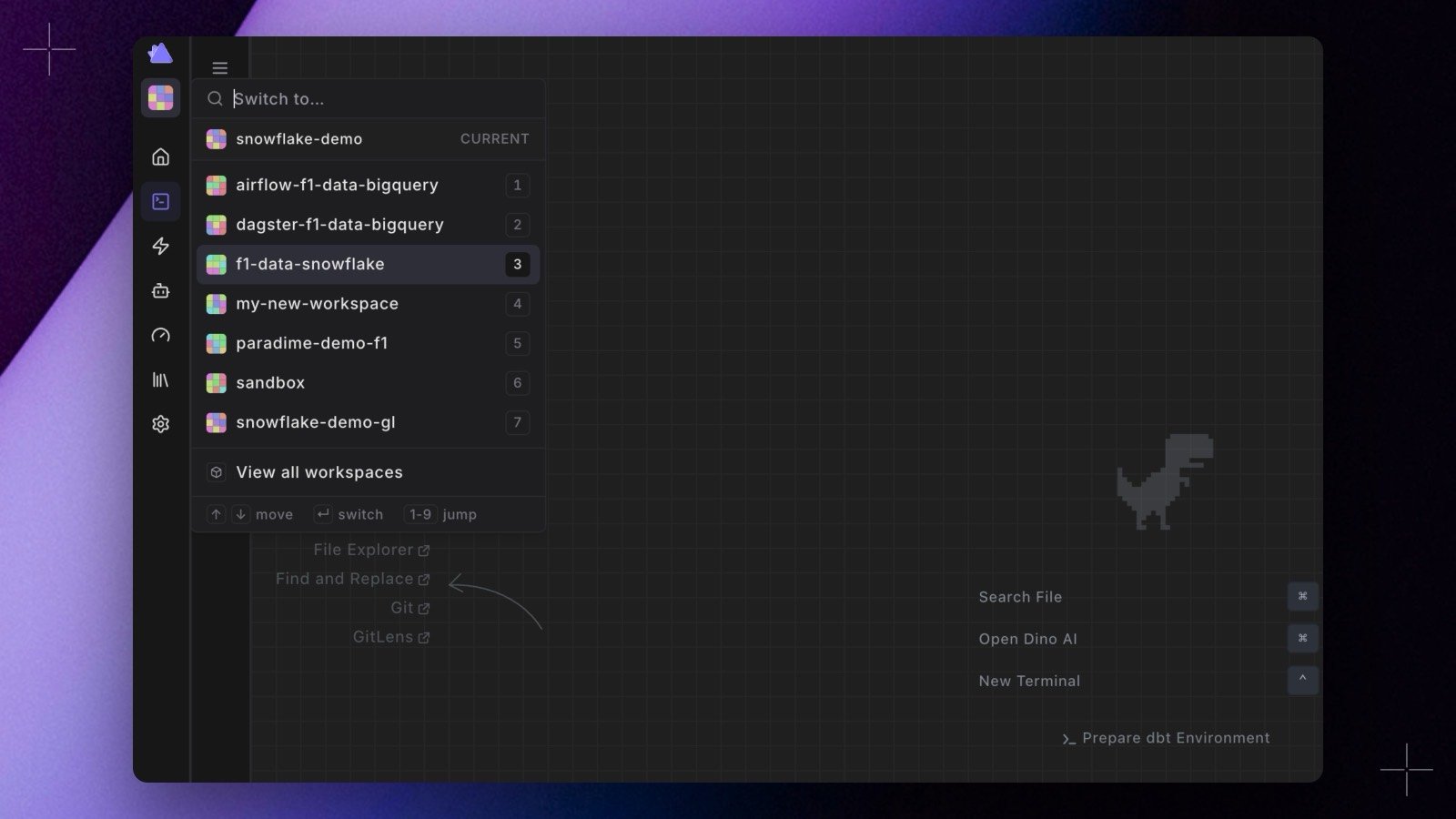
- Press 1 to 9 to jump straight to a numbered workspace, or use the arrow keys and
Enter. - Type to filter. Matching is tiered: exact name, then whole-name prefix, then the start of a word inside the name, then anywhere, alphabetical within each tier. So
datafindsmst-f1-data-bqon the word, not on a stray letter mid-name. - The digits follow the list. With fewer than ten workspaces every row keeps a permanent digit. Past that, the workspaces you have visited in this browser float to the top under Recent and hold the low numbers.
- The workspace you are in is pinned under the search box and marked CURRENT rather than listed, so no digit is spent on a row that goes nowhere. View all workspaces sits at the foot of the panel for when you want to manage them rather than jump.
- It is in the command bar too. Open
⌘Kand typeswitch, useful anywhere a bare keystroke is not appropriate. The panel opens over the Code IDE the same way it does anywhere else.
W is a single letter with no modifier, modifier-less shortcuts now stay inert while you are typing: in inputs, textareas, dropdowns and dialogs. Shortcuts carrying a modifier, such as ⌘B, are unchanged. One trade-off comes with the digits: you cannot type a number into the search box, so workspaces with digits in the name are matched on their other characters.
Recents are kept in your browser, so they do not follow you between machines yet.
See Workspaces. Shipped in Paradime v6.13.0.