

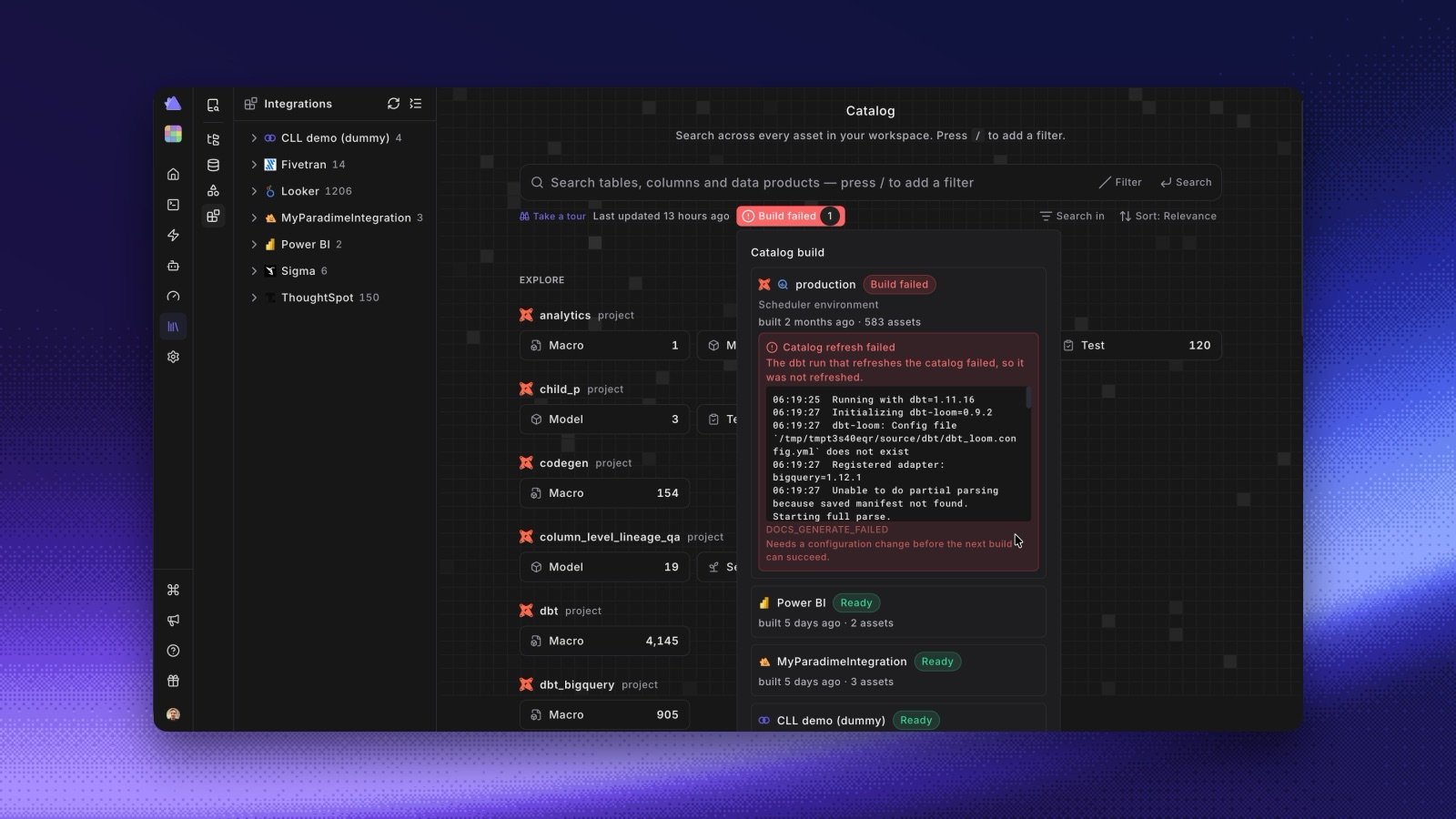
- One status at a glance. The chip shows Ready, Building (or the step that runs, such as running dbt™ docs generate), Build failed with a count, or Not built yet. One unbuilt source no longer turns the chip to Not built yet when everything else is ready.
- The Catalog build panel. Click the chip to see a row per source: its status, a progress bar with the stage and the time left, when it was last built, and how many assets it has. A failed build shows the error and the end of the dbt output, and says whether you need to change your setup or the next build can fix it.
- Readable push errors. When the push to DataHub or Altimate AI fails, the panel shows DataHub push failed or Altimate push failed, with Show details. The details open at the end of the output, where the cause is. Each integration’s Manage page also has a Last push card. See DataHub and Altimate AI.
- Setup not complete. If the workspace has no production connection, the Catalog says Your setup is not complete, with a Set up a connection button.