

- One setting per workspace. In Settings > Git Repository, the Update branches by card offers Merge (the default) or Rebase. Only admins can change it, and Paradime asks you to confirm the change. See The connected repository.
- Safe pushes. A rebase rewrites commits that you already pushed, so Git Lite pushes with
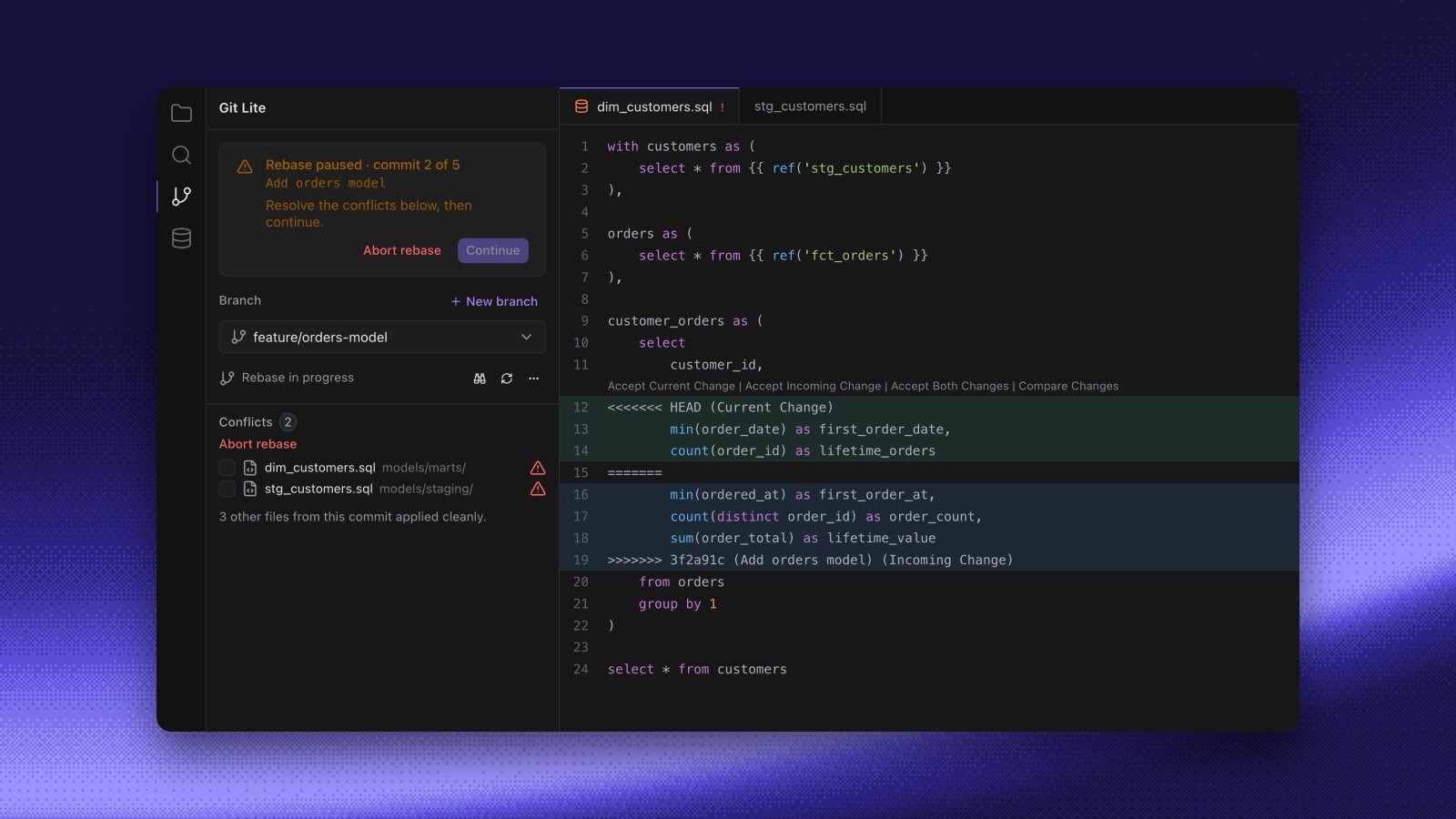
--force-with-lease. The push fails, instead of overwriting work, if someone else pushed to your branch. Git Lite never force-pushes the default branch. - A conflict pauses the rebase. The Git Lite panel names the commit, for example commit 2 of 5, lists only the files that need attention, and has Abort rebase and Continue. See Resolve conflicts during a rebase.
- Your terminal follows too. After the first update,
git pullin the Code IDE terminal rebases on a rebase workspace.