

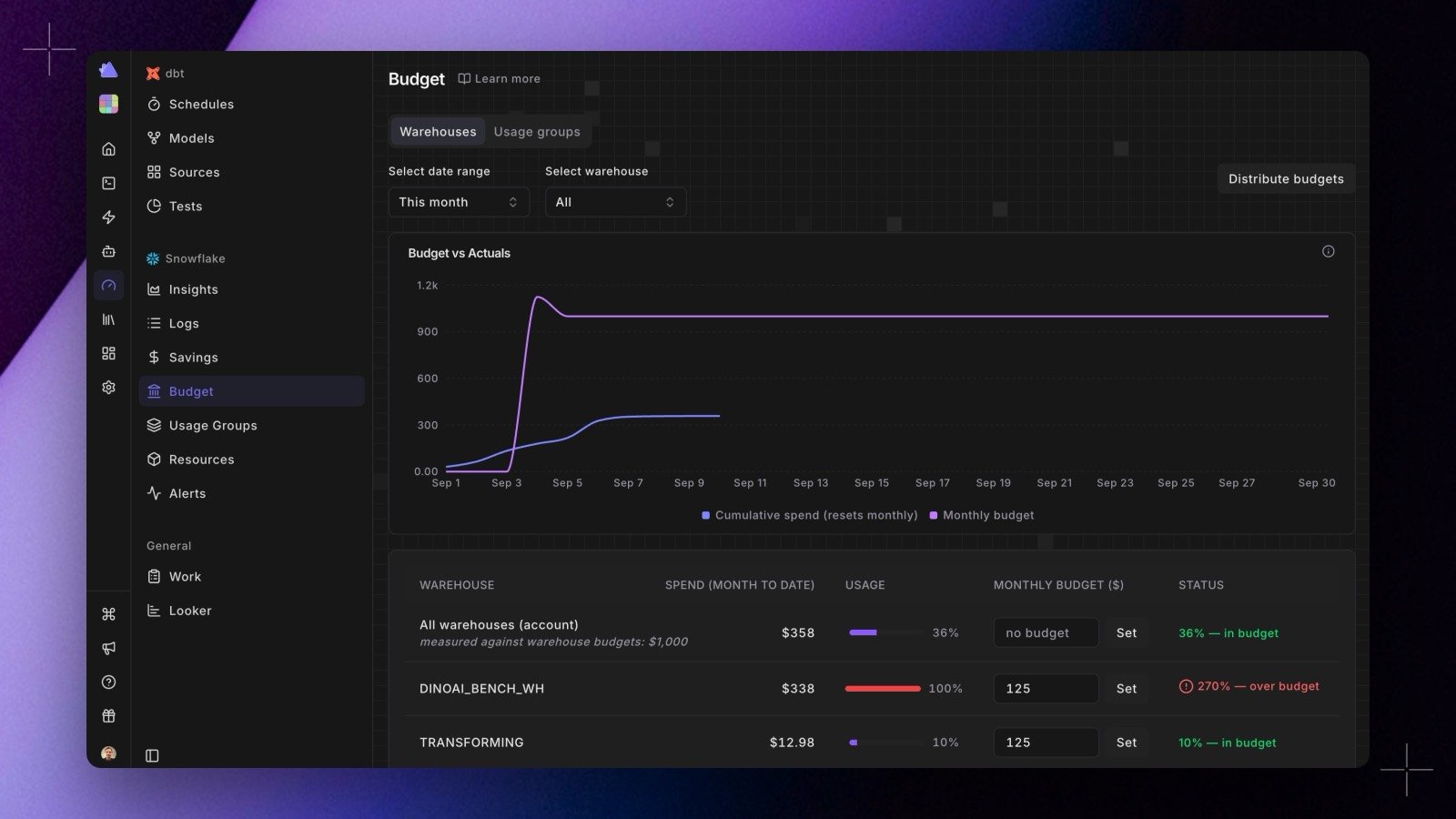
- Budgets. Set a monthly budget for the whole account or per warehouse on the new Budgets page. A budget-vs-actuals chart tracks cumulative spend against your monthly budget, so you can see how much is left and how fast it is going. The Distribute budgets dialog takes one monthly total and splits it across warehouses, either equally or in proportion to the last 30 days of spend, with the allocations editable before you apply them. Budget alerts fire once at 80% and once at 100% of a target’s monthly budget, delivered to your existing Data Alerts destinations.
- Usage groups. Warehouses rarely map one to one onto teams. Usage groups let you roll them up into the groups you actually budget by, then see daily spend as a stacked chart with everything unassigned kept visible as Ungrouped. Groups can carry their own budget, and renaming one keeps its budget and history intact.
- Custom alerts. The built-in alerts cover the common cost anomalies. Custom alerts cover the rest: describe what you want to be told about and Radar drafts the SQL for you, or write it yourself, then Test alert to see whether it would fire right now and on what rows. Choose whether it repeats daily while true or stays quiet until it resets, route it to Slack, Microsoft Teams, or email, and watch a 30-day firing history on the alert itself.
- Logs and Resources. The new Logs view puts daily spend in a cost recorder strip above the raw per-query rows: click a day to scope the table to it. Resources is an inventory of the warehouses seen in your cost data, with 90-day spend, active days, and when each was first and last seen.