

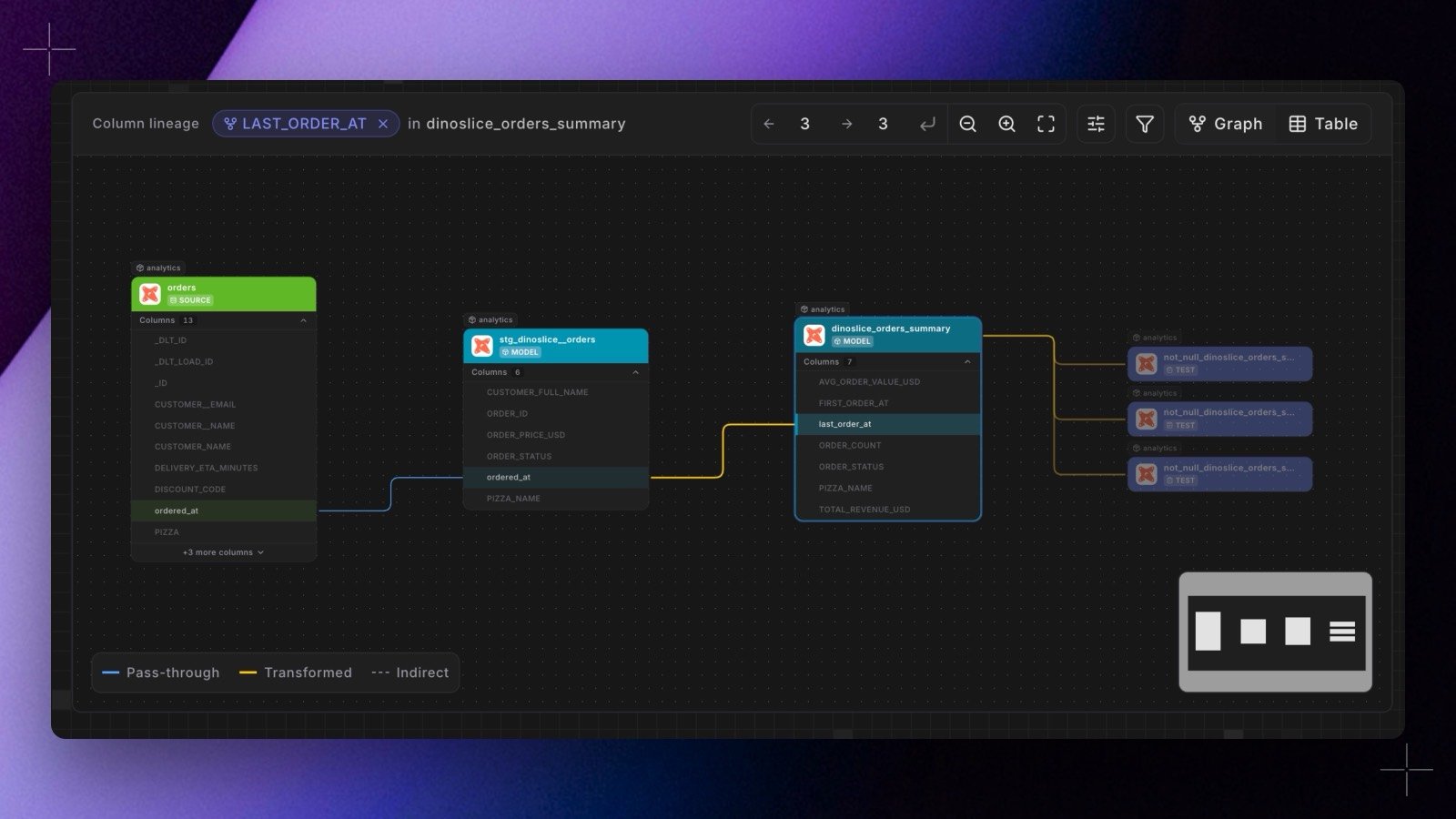
- Every edge says what happened to the value. Direct edges are labelled Pass-through, Transformed, or Aggregated, and transformed edges are drawn heavier so the places where a value stopped being itself stand out. Indirect edges, where a column decides which rows survive rather than what the value is, are shown muted and labelled Joined, Grouped, Filtered, Sorted, Windowed, or Conditional.
- Walk the graph without leaving it. Click a column on any card to refocus the graph on it in place, click a model name to open its catalog page, and set upstream and downstream depth separately (a number of hops, or
+for everything). Cards at the edge of the current depth can be expanded further in either direction. - Honest about what it could not parse. Each card carries a parse status. A model whose compiled SQL only partially resolved (for example a
SELECT *without a schema) is marked as such, and a model that could not be parsed falls back to table-level lineage instead of disappearing from the graph. - Built for your warehouse. Compiled SQL is parsed with your warehouse’s dialect, so warehouse-specific syntax (BigQuery’s backtick identifiers,
EXCEPT,STRUCT, andUNNEST, for example) resolves correctly on BigQuery, Snowflake, and Databricks. Parses are cached by content, so a rebuild only re-parses the models that changed. - Scoped like the rest of the Catalog. Lineage is built as a stage of every catalog build, so it follows the environment you are looking at and includes cross-workspace nodes for dbt™ Mesh projects, badged with the workspace they belong to.