

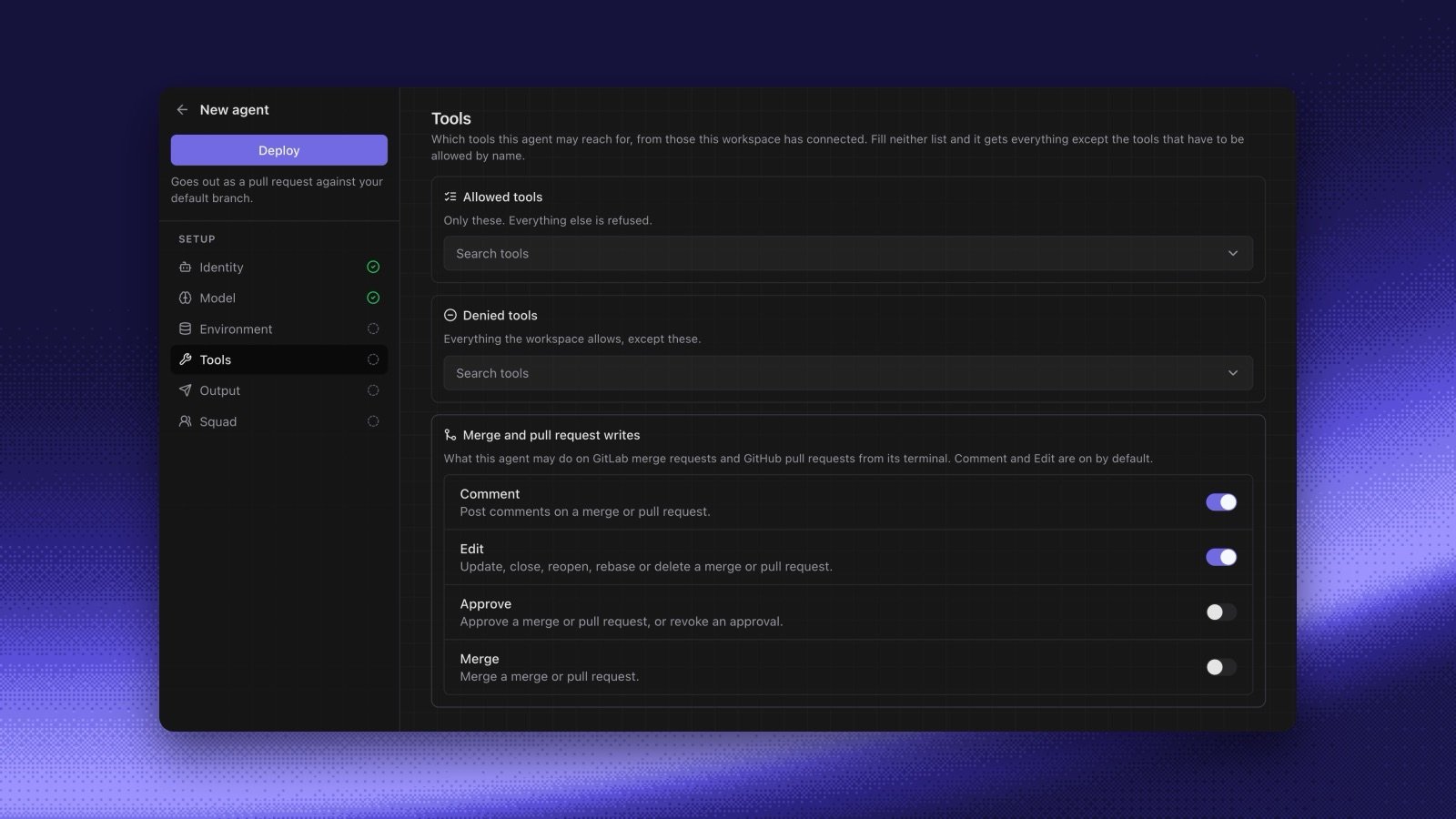
- Comment and edit by default, approve and merge only when allowed. In the Agent Builder, the Merge and pull request writes card has four switches: Comment and Edit are on, Approve and Merge are off. In YAML, set them under
git_writes. See Merge and pull request writes. - A tighter default on GitHub. Before this release, agents could approve and merge GitHub pull requests with
gh. Now they need Approve or Merge turned on. - Edit GitLab merge requests. On a workspace connected through the GitLab connection, agents change the title, description, reviewers, and assignees of a merge request with the
update_gitlab_merge_requesttool. See GitLab merge requests. @paradimeanswers anyone with repo access. Linking a Paradime account is now optional. A commenter with write access on GitHub, or Developer access and above on GitLab, gets an answer. Sessions for unlinked commenters can’t trigger or retry Bolt runs. See Who DinoAI answers.- Changes land on the merge request. On a GitLab workspace that clones with a deploy key,
@paradimecommits and pushes a change that you ask for to the merge request’s source branch, then replies with the commit link. See Ask for a change on GitLab.