

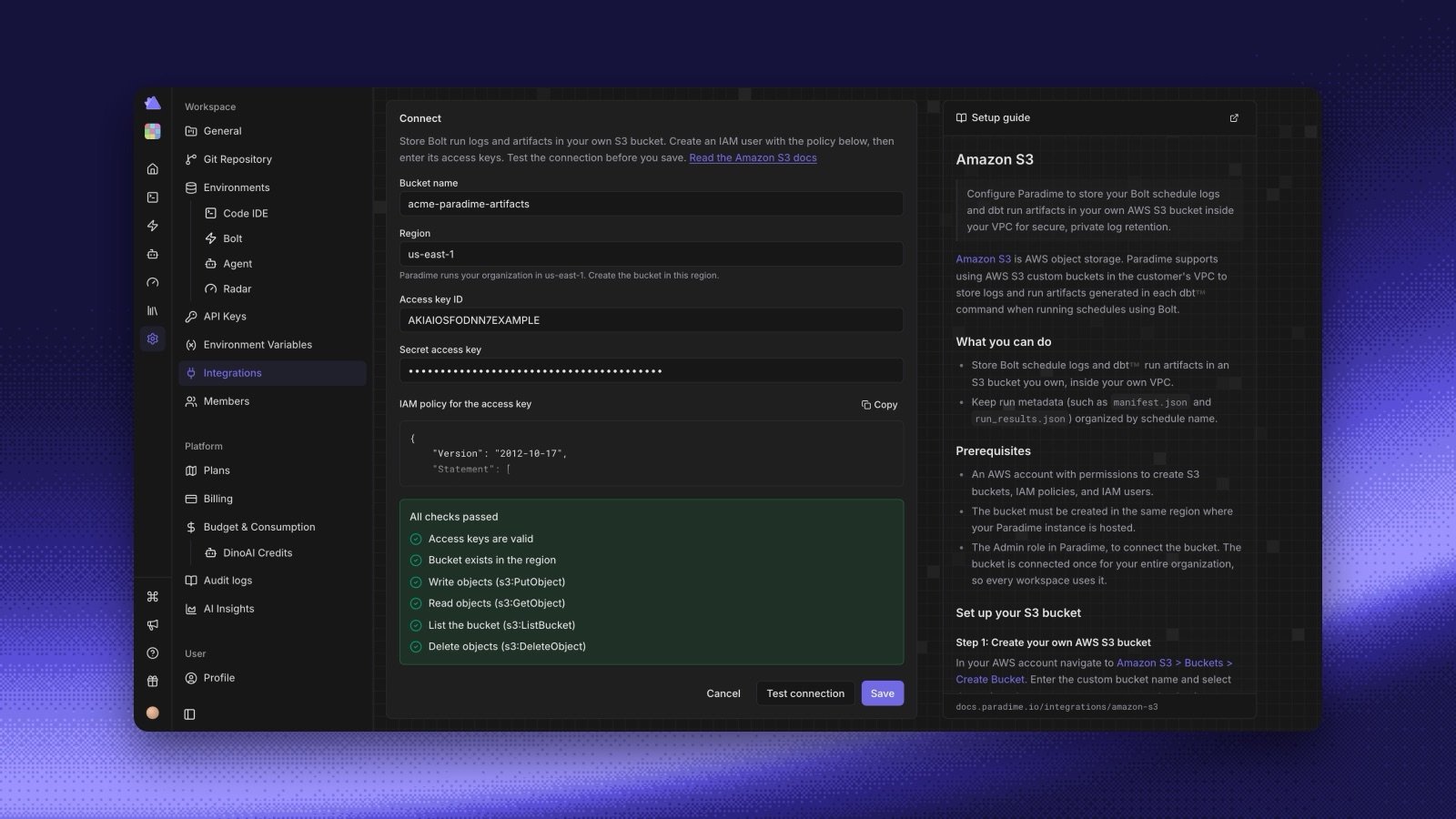
- Add the bucket. In Settings > Integrations, open Amazon S3 under Storage. Enter the bucket name, the region, the access key ID, and the secret access key. The card shows the IAM policy to attach to the keys, with a copy button.
- Test before you save. Test connection checks the keys, checks that the bucket is in that region, and checks that Paradime can put, get, list, and delete objects. Save works only after the test passes.
- Old runs stay readable. When you save, Paradime redeploys your Bolt schedules so that new runs write to your bucket. Runs from before still open in Paradime.
- Replace keys or disconnect. Rotate the access keys from the card with Replace keys. If you disconnect the bucket, runs stored in it no longer open in Paradime.