

What are GitGraph Diagrams?
Mermaid’s GitGraph diagrams help you visualize Git workflows and branching strategies. For data teams, they’re invaluable for documenting:- Feature development workflows
- Release processes
- Data pipeline versioning
- Model deployment strategies
- Hotfix procedures
- Team collaboration patterns
Creating Your First GitGraph
- Launch DinoAI: From Code IDE, access DinoAI to start creating diagrams.
- Use a Simple Prompt: Tell DinoAI what kind of Git Graph Diagram you want to create. For example:
- Get Your Diagram: DinoAI will generate a complete
.mmdfile with proper Mermaid syntax. - Preview Your Work: Click the eye icon (👁️) to preview your diagram in real-time as you edit.
- Iterate and Refine: Modify the generated
.mmdfile directly, or ask DinoAI to make specific changes.
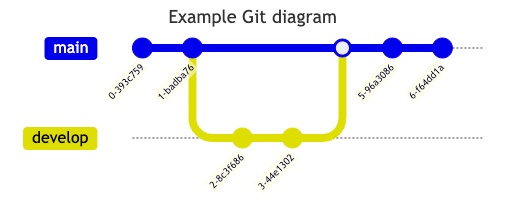
Example:
Reusable GitGraph prompts for you and your teamYou can create custom, standardized .dinoprompts for Mermaid’s GitGraff Diagrams that ensure consistency across your data team. See step-by-step guide.
Core Git Operations
Basic Commands
commit: Add a new commit to current branchbranch: Create and switch to a new branchcheckout: Switch to an existing branchmerge: Merge a branch into current branch
Commit Customization
Branch Management
Common Data Team Workflows
Feature Development
Release Process
Hotfix Workflow
Advanced Features
Custom Commit Types
NORMAL: Standard commit (default)REVERSE: Reverted commitsHIGHLIGHT: Important commits
Cherry-picking
Orientation Options
- Left to Right (default):
gitGraph LR: - Top to Bottom:
gitGraph TB: - Bottom to Top:
gitGraph BT:
Configuration Options
Visual Customization
Branch Ordering
- Set main branch order:
mainBranchOrder - Custom branch order:
branch develop order: 2 - Default ordering follows appearance in code
Best Practices
- Use meaningful commit IDs and tags
- Group related changes in feature branches
- Mark significant releases with tags
- Highlight important commits
- Maintain clear branch naming conventions
- Document merge strategies
Common Use Cases
- Feature branch workflows
- Release management
- Hotfix procedures
- Data pipeline versioning
- Model deployment strategies
- Team collaboration patterns
Additional ResourcesFor more syntax options and advanced features, visit the official Mermaid documentation