

What are Mind Maps?
Mermaid’s mind maps help you visually organize ideas into hierarchical structures. For data teams, they’re excellent for brainstorming project requirements, planning data models, documenting processes, and organizing complex concepts. Each mind map starts with a central idea, with related concepts branching out in a hierarchical structure.Creating Your First Mindmap
- Launch DinoAI: From Code IDE, access DinoAI to start creating diagrams.
- Use a Simple Prompt: Tell DinoAI what kind of Mindmap Diagram you want to create. For example:
- Get Your Diagram: DinoAI will generate a complete
.mmdfile with proper Mermaid syntax. - Preview Your Work: Click the eye icon (👁️) to preview your diagram in real-time as you edit.
- Iterate and Refine: Modify the generated
.mmdfile directly, or ask DinoAI to make specific changes.
Example:
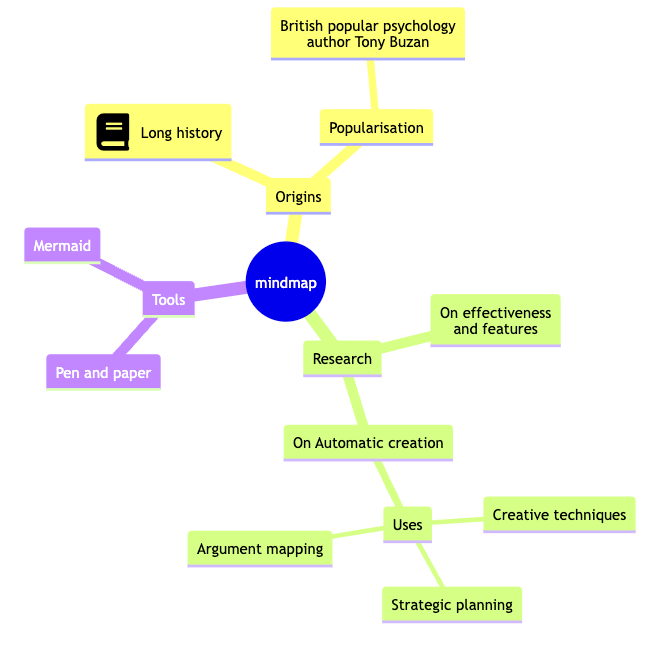
Reusable Mindmaps prompts for you and your teamYou can create custom, standardized .dinoprompts for Mermaid’s Mindmaps that ensure consistency across your data team. See step-by-step guide.
Diagram Syntax Guide
Basic Structure
Mind maps use indentation to create hierarchy:Node Shapes
You can use different shapes for nodes:- Square:
id[text] - Rounded Square:
id(text) - Circle:
id((text)) - Cloud:
id)text( - Bang:
id))text(( - Hexagon:
id{{text}} - Default: Just text
Text Formatting
Use Markdown syntax for text formatting:Data Team Examples
Project Planning
Data Model Documentation
Best Practices
- Start with a clear central concept
- Use consistent indentation
- Group related ideas together
- Limit hierarchy depth for clarity
- Use shapes to differentiate concept types
- Keep node text concise
Advanced Features
Icons
Add icons to nodes (when configured):CSS Classes
Apply custom styling:Additional ResourcesFor more syntax options and advanced features, visit the official Mermaid documentation